Moving Documents Between Buckets
Requirements
- You must have the proper permission from your XDOC Administrator.
Two Methods to Move Documents
1. Drag Method
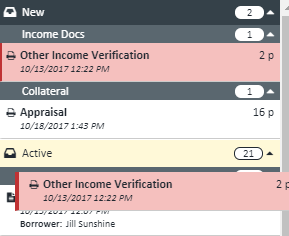
- Highlight the document(s) you want to move.
- Drag them to the destination bucket.
- The destination bucket will be highlighted in yellow.
- Use:
- Ctrl + Click to select multiple individual documents.
- Shift + Click to select a range of documents.
- Drop the documents anywhere in the destination bucket—they will automatically be placed in the correct category.
2. Toolbar Method
- Highlight the document(s) you want to move.
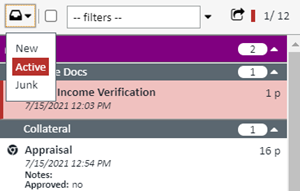
- Click the Bucket Selector dropdown icon on the Document List toolbar.
- Choose the destination bucket.
- Confirm the action by clicking OK, or cancel by clicking Cancel.