Admin Search
Admin Search Overview
The Admin Search feature allows administrators to perform detailed searches across different document types. It is divided into three main sections:
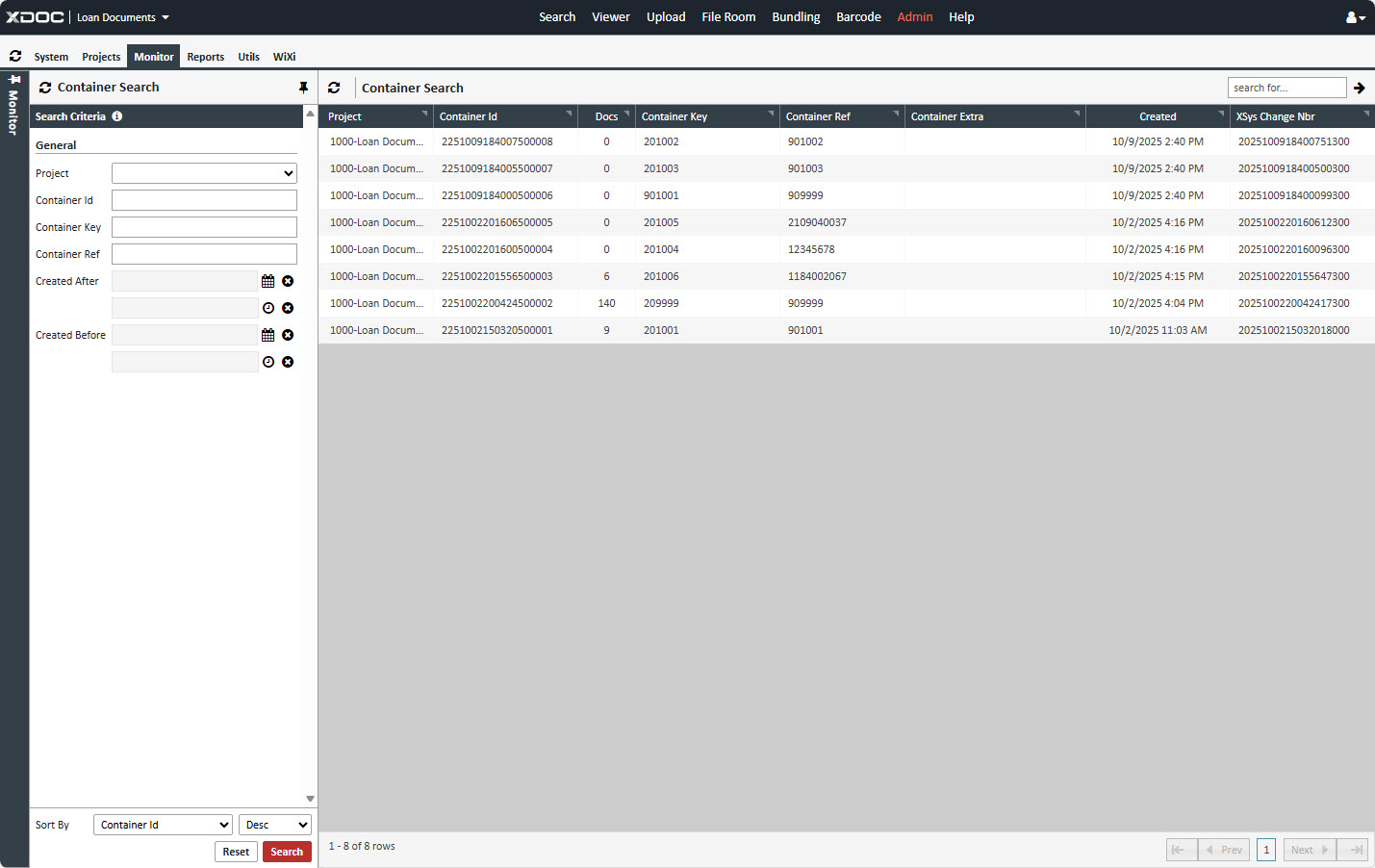
1. Container Search
Use this section to locate containers based on general parameters:
- Project: Select the project (Loan Documents or Servicing Documents).
- Container Id: Enter the container ID.
- Container Key: Enter the container key.
- Container Ref: Enter the container reference number.
- Created After: Specify the start date and time.
- Created Before: Specify the end date and time.
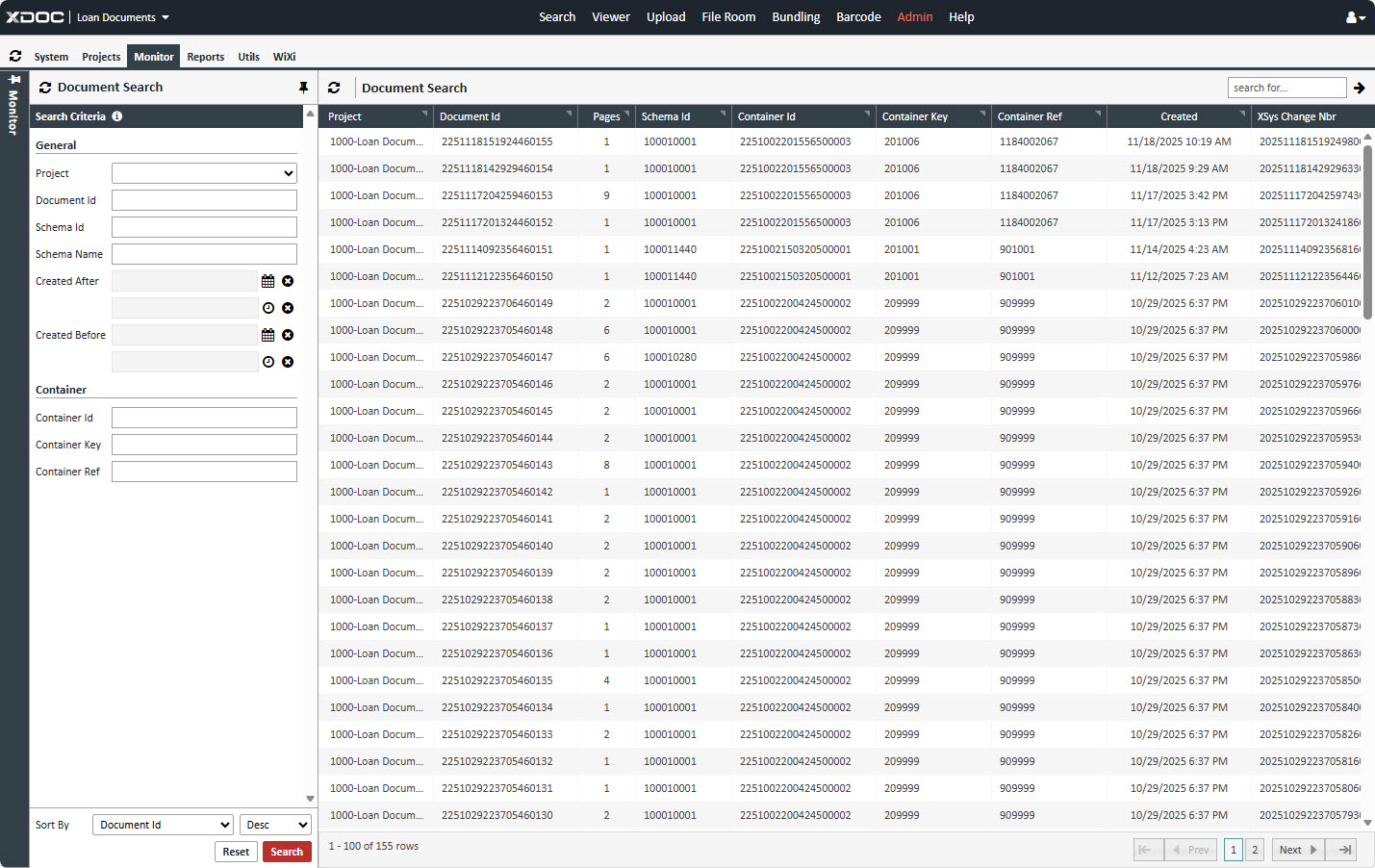
2. Document Search
Search for documents using general and container-specific parameters:
General Parameters
- Project: Select the project (Loan Documents or Servicing Documents).
- Document Id: Enter the document ID.
- Schema Id: Enter the schema ID.
- Schema Name: Enter the schema name.
- Created After: Specify the start date and time.
- Created Before: Specify the end date and time.
Container Parameters
- Container Id: Enter the container ID.
- Container Key: Enter the container key.
- Container Ref: Enter the container reference number.
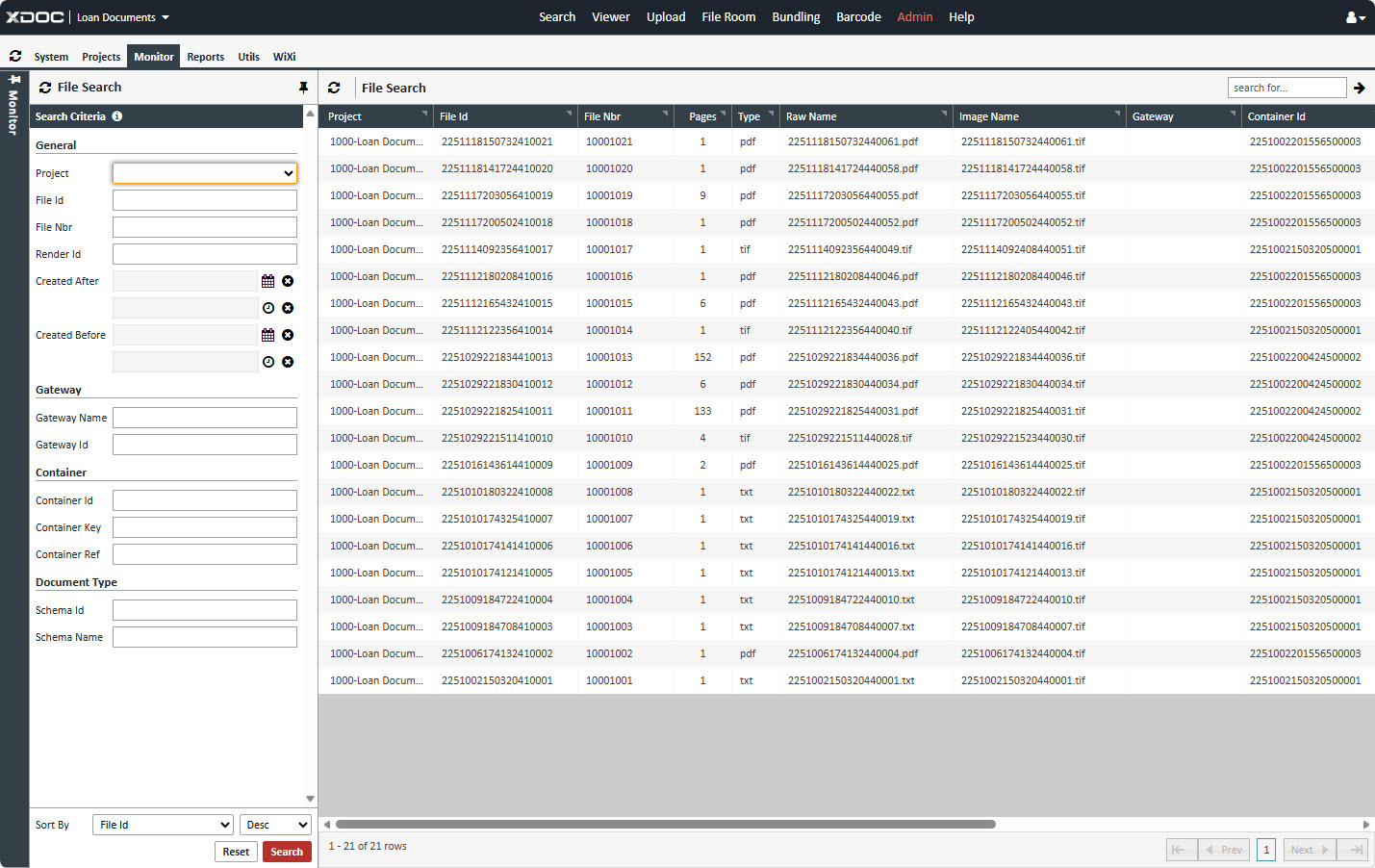
3. File Search
Search for files using general, gateway, container, and document parameters:
General Parameters
- Project: Select the project (Loan Documents or Servicing Documents).
- File Id: Enter the file ID.
- File Nbr: Enter the file number.
- Render Id: Enter the render ID.
- Created After: Specify the start date and time.
- Created Before: Specify the end date and time.
Gateway Parameters
- Gateway Id: Enter the gateway ID.
- Gateway Key: Enter the gateway key.
Container Parameters
- Container Id: Enter the container ID.
- Container Key: Enter the container key.
- Container Ref: Enter the container reference number.
Document Parameters
- Schema Id: Enter the schema ID.
- Schema Name: Enter the schema name.