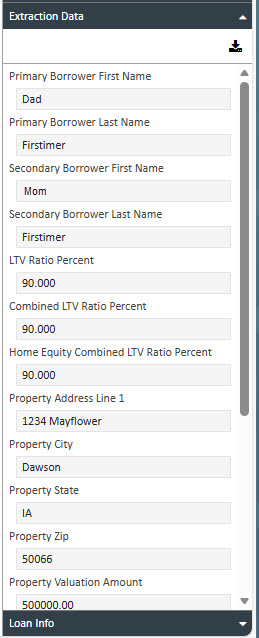
Extraction Data Tab
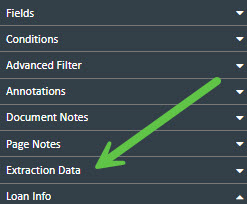
Extraction Data Tab
Users must be properly licensed in order to use the AIVA Document Data Extraction integration.
- Displays limited AIVA Extraction data for the selected document.
- Data comes directly from the AIVA integration.
How to View Extraction Data
-
Open the Extraction Data tab
In the Document Viewer, click the Extraction Data tab located at the top of the screen. -
View extracted data
The integrated AIVA Extracted Data will display in the panel. -
Download extracted data (MISMO XML)
To export the extracted data in MISMO XML format, click the Download icon. The file will be saved to your local drive.