The following section provides an overview of the Batch Bundling process within the XDOC user interface.
1. Access the Bundling Module
From the XDOC Dashboard, click Bundling from the main navigation menu to open the Batch Bundling interface.

The following section provides an overview of the Batch Bundling process within the XDOC user interface.
From the XDOC Dashboard, click Bundling from the main navigation menu to open the Batch Bundling interface.
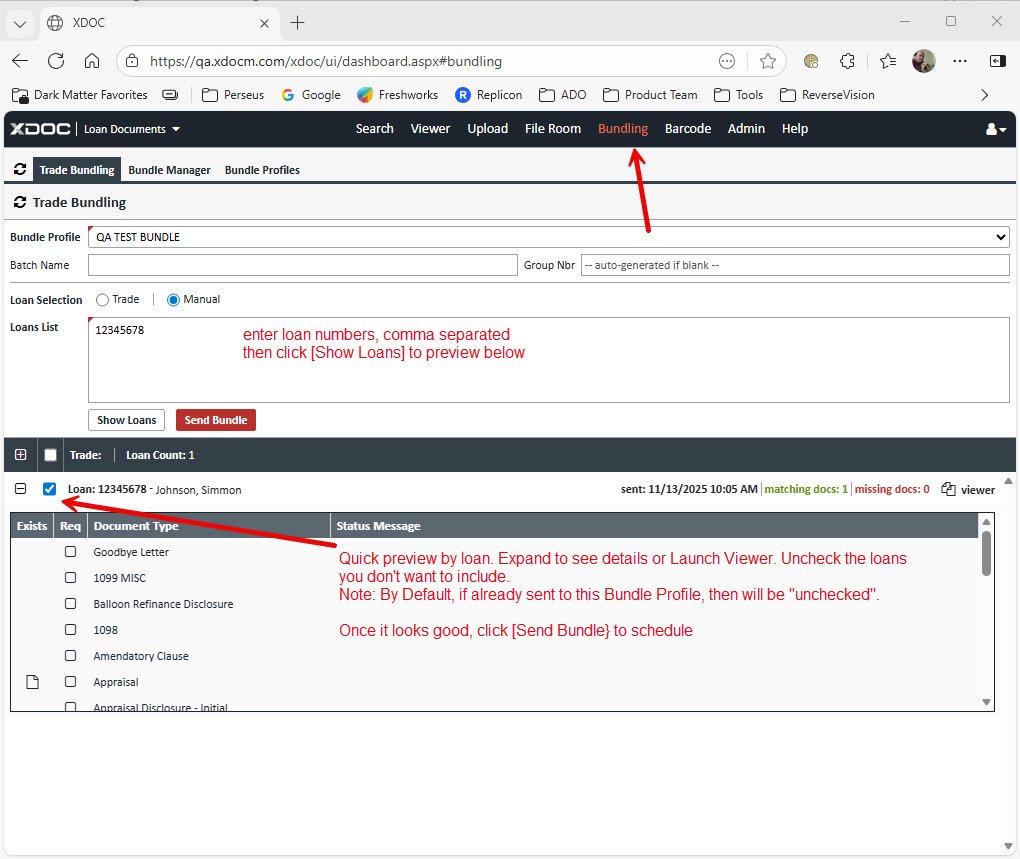 2. Configure the Bundle Request
Before initiating the bundle process, complete the following steps:
After verifying the loan selection, click Send Bundle. XDOC will create and initiate the required bundle workflow for each selected loan.

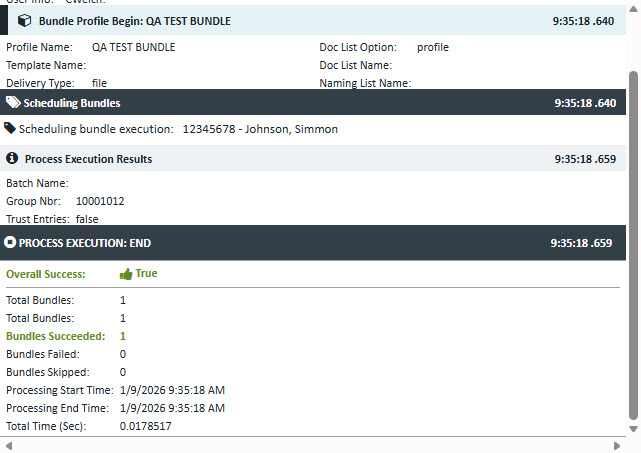
Batch Bundling is processed as a two-stage workflow that can be monitored through the Workflow Monitor:
Each stage is represented as a separate workflow task, providing visibility into the status and progress of the bundling process.
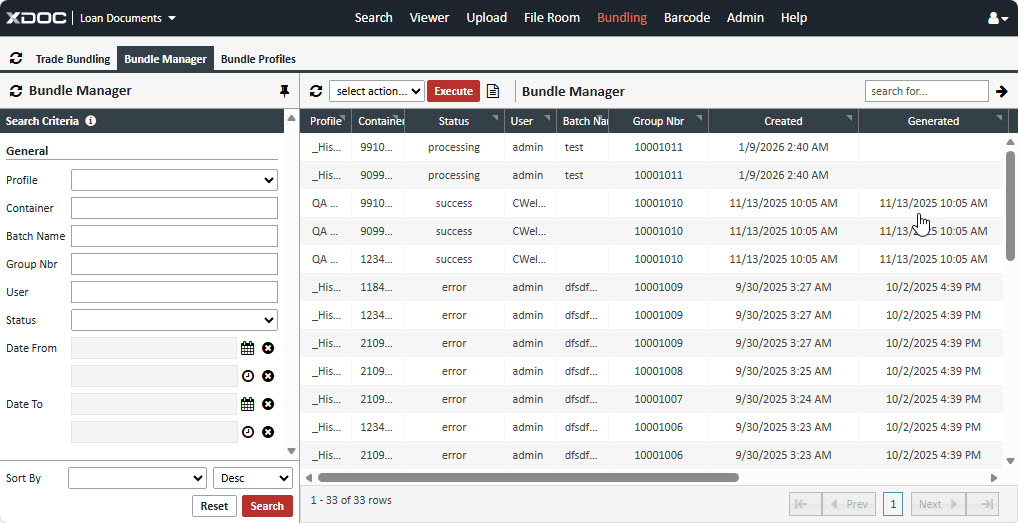
To view and manage bundle activity, select the Bundle Manager tab to open the Bundling Manager interface.
From the Bundle Manager, users can:
The Bundle Manager provides centralized monitoring and control of batch bundling activities, enabling administrators and business users to efficiently manage large-scale package generation and delivery operations.