
Release Notes - 6163.0
XDOC Release Notes – Version 6163.0
Release Date: Sept 28, 2026
Prepared by: Axacore Product Team
Table of Contents
Overview
XDOC 6163.0 delivers a broad set of improvements across document restoration, expanded/improved Aiva integration, security, reporting, administration, logging, annotations, and the Document Viewer.
The release places particular emphasis on:
- Restoring and retaining deleted documents
- Strengthening role-based access controls
- Improving Aiva configuration and data processing
- Correcting Viewer and document-bundling behavior
- Improving system logging, cleanup, and secure file transfer support
1. New Features
1.1 Deleted Document Restoration and Retention
- Administrators can view and restore eligible soft-deleted documents without re-uploading them.
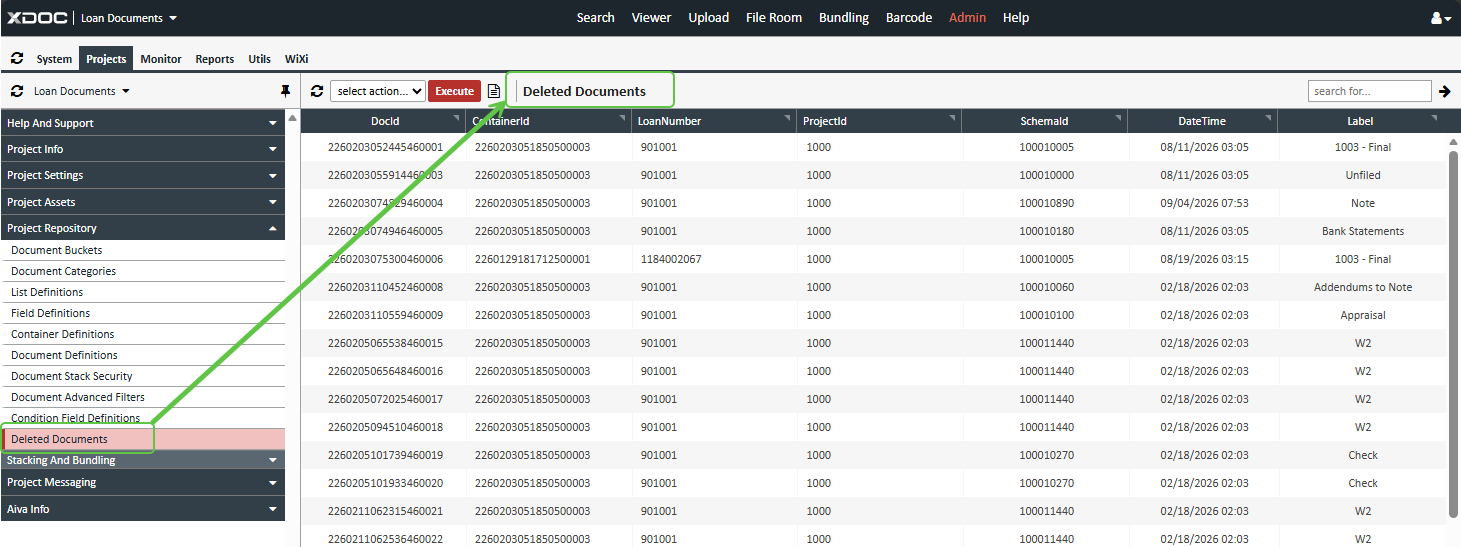
- Restored documents are returned to their original container and placed in a dedicated Restored bucket.
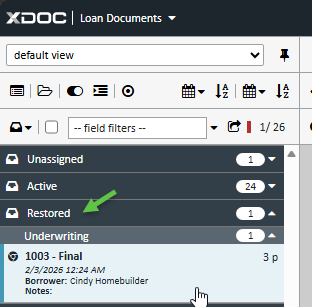
- A new Restored document bucket can be configured in the Property Repository.
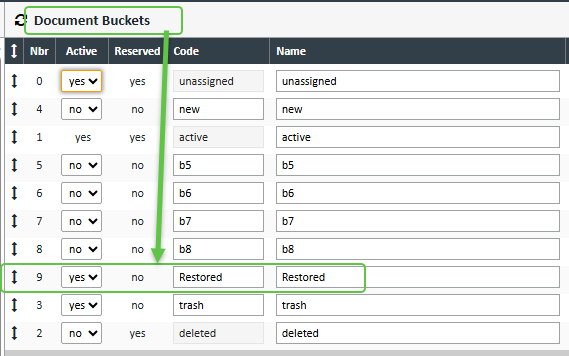
- The Deleted Documents page now includes a clear page header and a deletion date/time column.
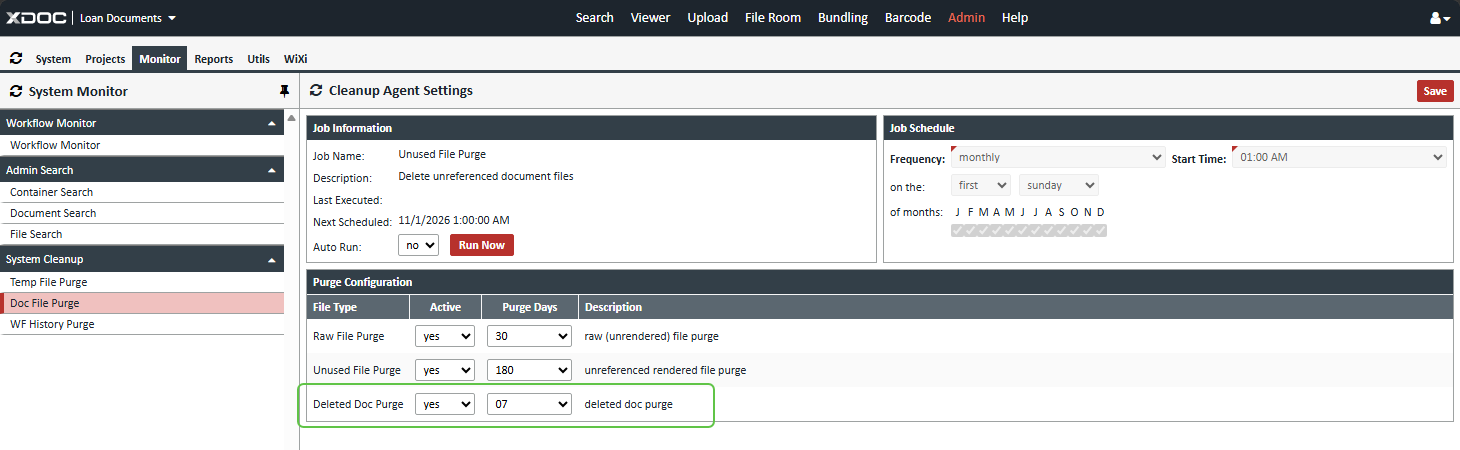
- Cleanup Agent settings now support a configurable deleted-document file purge based on an administrator-defined retention period.
- Restore operations preserve document metadata, indexing information, version history, and audit details.
1.2 Document Viewer and Document Management
- Administrators can configure a secondary document, sort field, and direction.
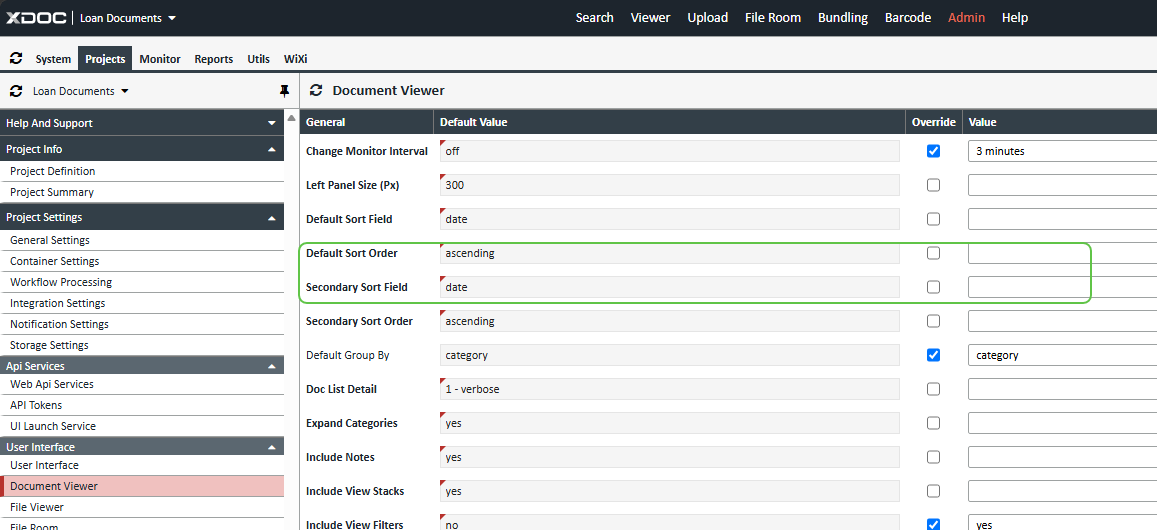
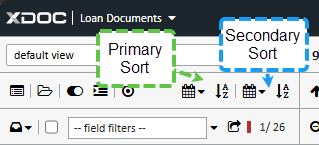
- Secondary-sort controls are available in the Viewer and apply when documents have matching primary sort values.
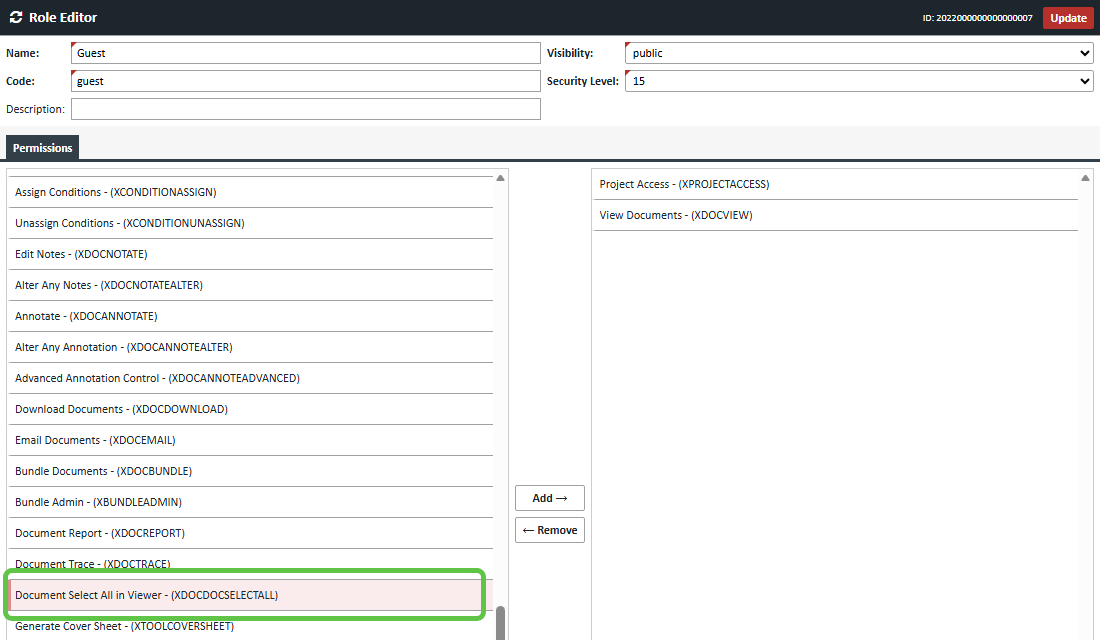
- A dedicated XDOCDOCSELECTALL permission enables Select All and Deselect All without granting Project Admin access.
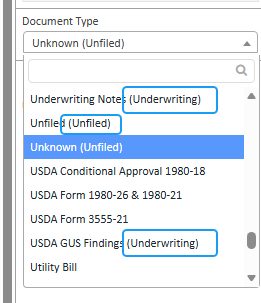
- Upload Document Type selections now display the associated document category.
- Administrators can optionally include inactive document definitions in document stacks while retaining their inactive status for normal indexing.
- Conditions can be selected using checkboxes instead of Ctrl+click.
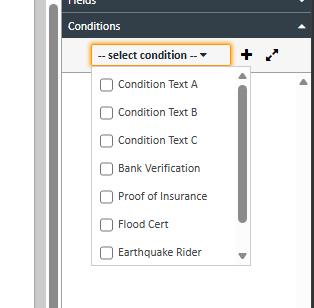
- Document lists can be filtered based on the presence, absence, type, or status of document conditions.
1.3 Container Links and Security
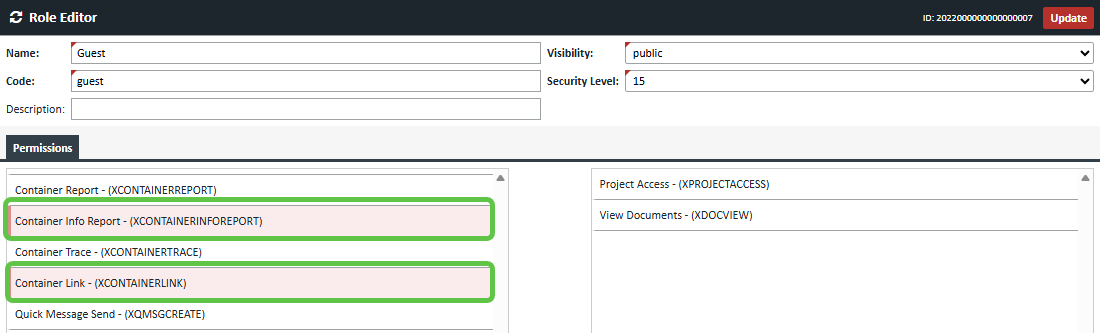
- A new XCONTAINERLINK role permission controls whether users can see and access links between related containers.
- Origination and Servicing loans can be linked in both directions. Review the UI Launch Services for additional information.
- Authorized users can open the related loan in a new Viewer window.
- Links remain hidden or inaccessible when the user lacks the appropriate permission or project access.
- A new XCONTAINERINFOREPORT permission provides dedicated access control for reports under Admin → Reports → Container Info.
- The obsolete XSYSREPORT permission has been removed from active permission-selection lists.
1.4 Aiva Integration
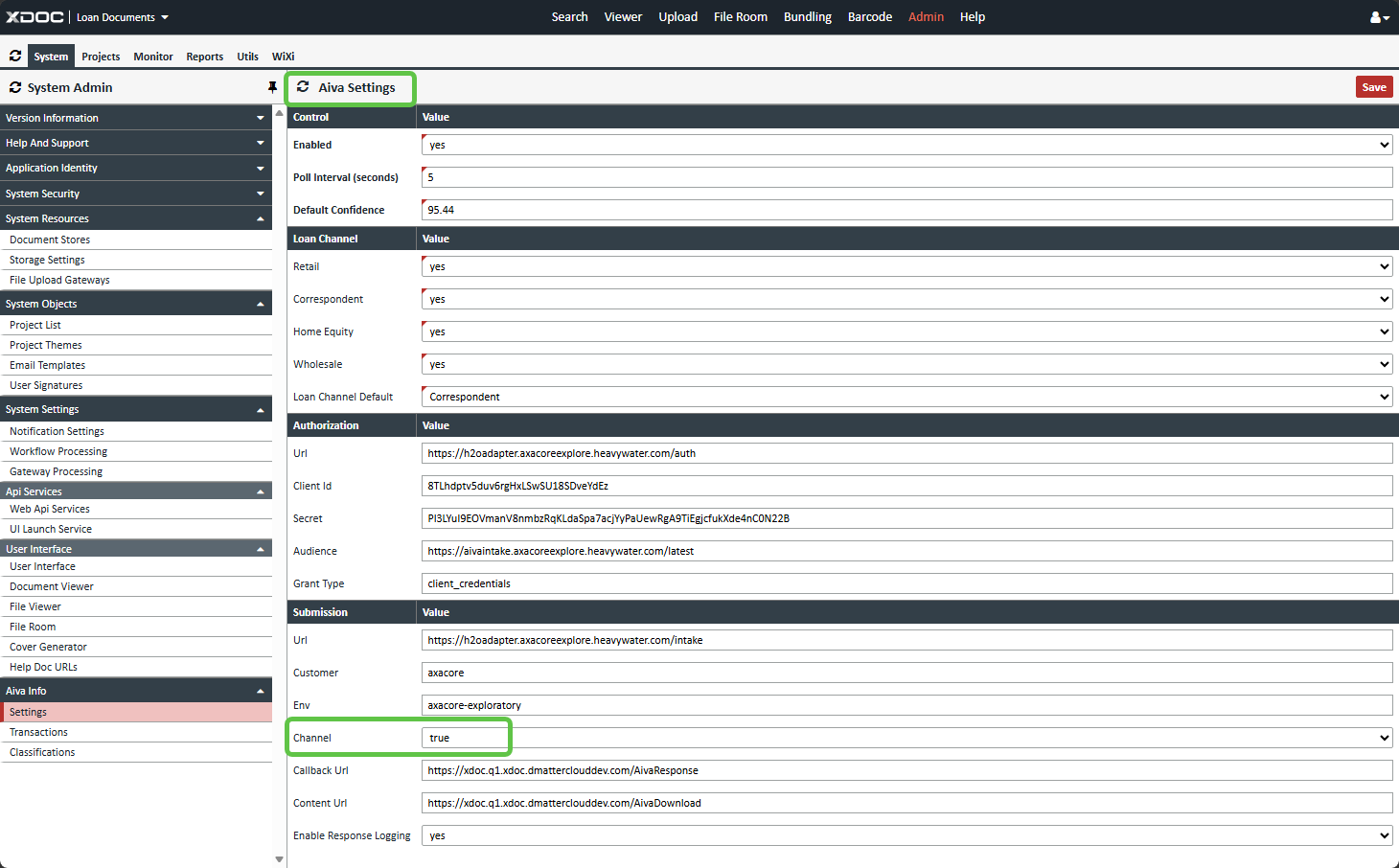
- A new Grant Type setting has been added to Aiva Settings, defaulting to client_credentials.
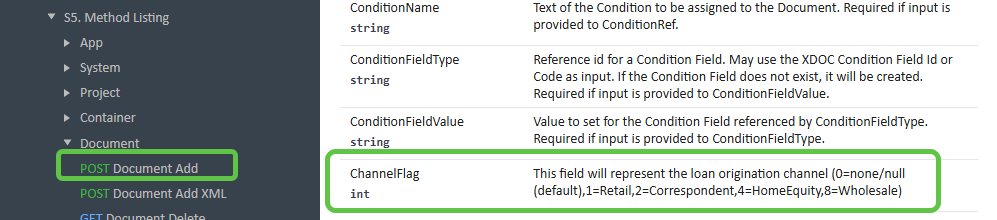
- ChannelFlag values received through Document.DocumentAdd API can now be mapped to outbound Aiva channel values:
- 1 = RETAIL
- 2 = CORRESPONDENT
- 4 = HOMEEQUITYLINEOFCREDIT
- 8 = WHOLESALE
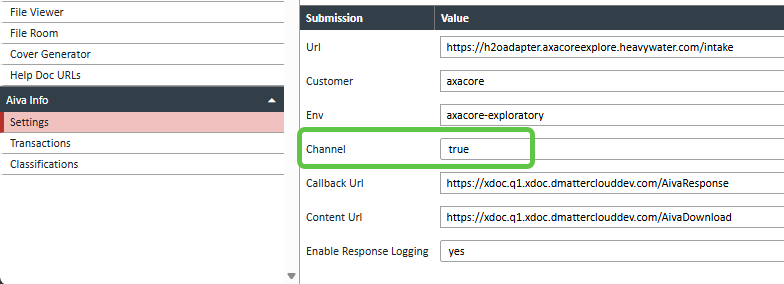
- Channel transmission is controlled through an administrator-configurable setting.
- Viewer uploads now apply the same loan-channel validation used by Dashboard Uploads.
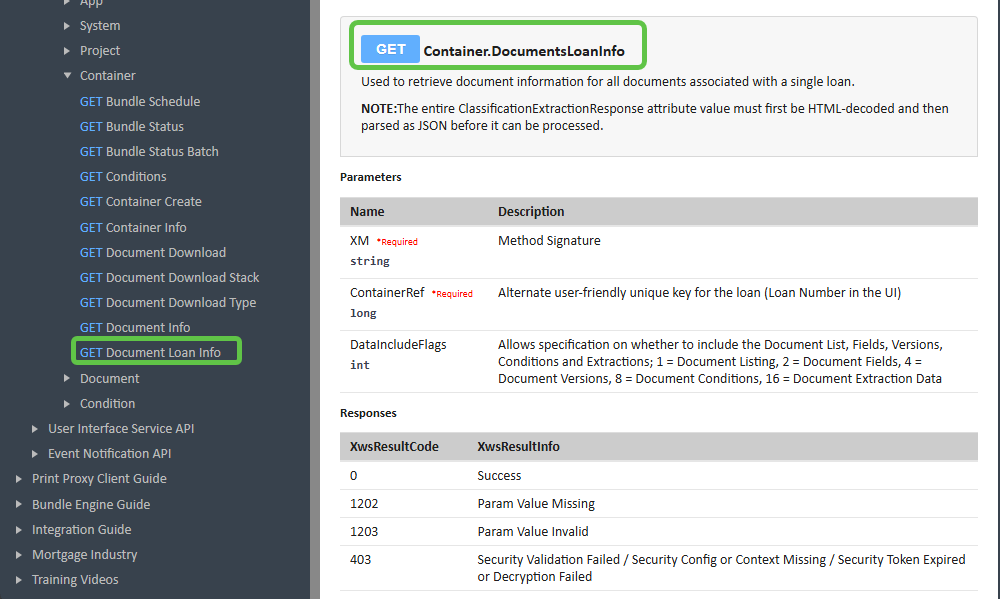
- A new GET Container.DocumentsLoanInfo API retrieves information and extraction data for all active documents on a loan in one request.
- Aiva processing information is consolidated under the Viewer auto-refresh indicator.

- Admin-facing labels have been standardized from “AIVA” to “Aiva”.
1.5 Annotation Administration
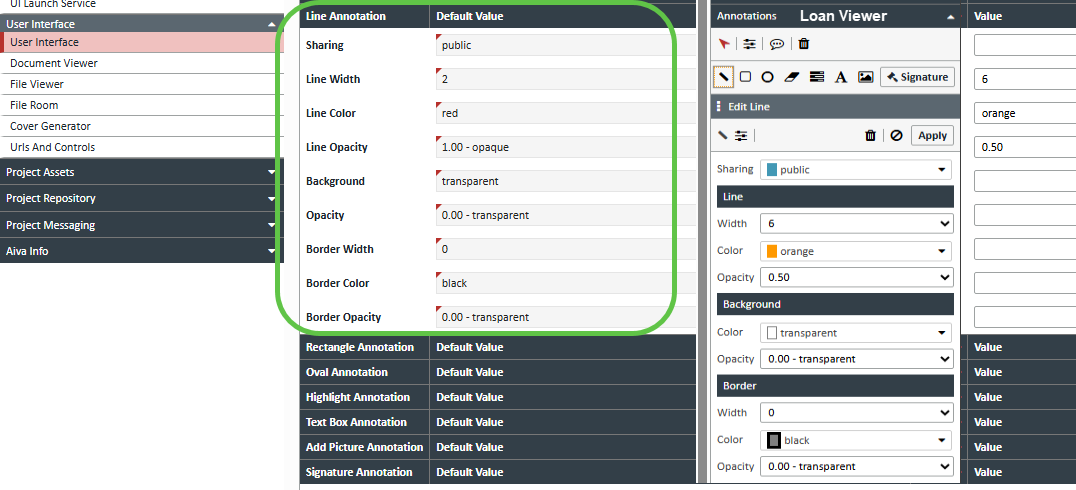
- Administrators can configure default properties for annotation types, including sharing, colors, opacity, border settings, line width, font properties, and text defaults.
- Configured defaults and overrides are automatically applied when users create annotations in the Viewer.
- Users may modify an individual annotation without changing the administrative defaults.

1.6 Logging and System Cleanup
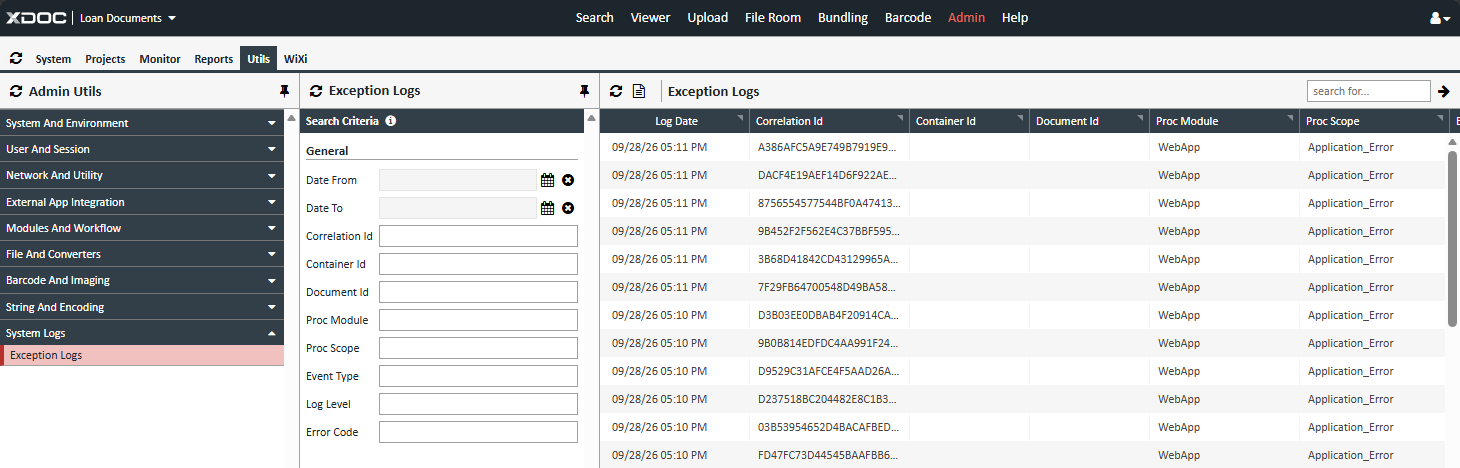
- System logging now supports additional transaction coverage, configurable log levels, correlation IDs, performance timing, structured searching, retention controls, and sensitive-data masking.
- Exception Logs are available under the new System Logs area in Admin Utils.
- A new Exception Log Purge task supports Active and Purge Days settings using the established cleanup scheduling framework.
2. Improvements
2.1 Security and Connectivity
- Upgraded Rebex .NET Components to version 0.9673 for stronger SFTP, FTPS, SSH, and emerging post-quantum cryptography support.
2.2 Administration and Configuration
- Updated Axacore customer-facing support contact information.
2.3 Document Management
- Updated container-schema selection so only active container definitions belonging to the selected project are displayed.
- Improved document stacking to clearly identify active and inactive document definitions.
2.4 Aiva
- Standardized administrative naming and labels throughout Aiva-related screens and exports.
3. Bug Fixes
- 1121502 – Viewer field refresh: Corrected stale field values appearing when users switched between documents with matching field structures.
- 1123178 – Annotation character limit: Text Box annotations now enforce the 250-character maximum.
- 1141602 – Report default: Admin Reports now correctly default according to the selected project type.
- 1150375 – Container Schema filtering: The Container Schema list now excludes inactive and unrelated definitions.
- 1150588 – Email Delivery test: Resolved a failure in the Admin Utils email-delivery validation function.
- 1153961 – Conditions pop-out: Restored missing condition checkboxes and aligned pop-out behavior with the standard Conditions panel.
- 1157614 – Bundling date format: Corrected an invalid string/date formatting issue during document bundling.
- 1174771 – Bundle Add button: Corrected an issue where clicking Add did not move selected documents into the Stacking Order list.
- 1183415 - Web API Token Error: Improved handling of Web API configurations when authentication is disabled, preventing errors caused by missing token values.
4. Known Issues
- If a Document.DocumentAdd channel is not configured as a valid channel in the Aiva Client Configuration, the Aiva request will fail and the error will be logged for Aiva support review.
How to Upgrade
Please contact your system administrator or support team for assistance with upgrading to this version.
- Support Phone - (888) 212-3260
- Axacore Support Email - AxacoreSupport@dmatter.com