
System Cleanup
System Cleanup Overview
The System Cleanup feature allows administrators to manually execute or schedule automated purge jobs to help reclaim server storage and maintain overall system performance. It consists of three primary cleanup areas:
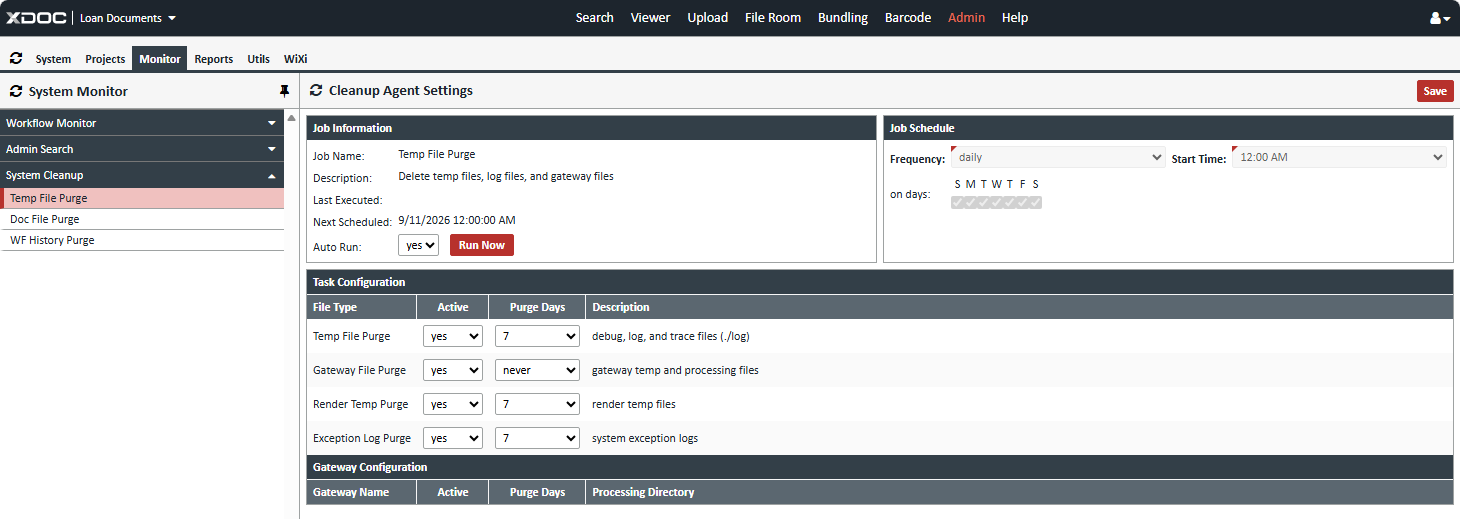
1. Temp File Purge
Removes temporary files, log files, and gateway files that are no longer required by the system.
Job Information
- Job Name: Temp File Purge
- Description: Deletes temporary files, log files, and gateway files.
- Last Executed Date: Displays the date and time the purge was last run.
- Next Scheduled Date: Displays the next scheduled execution date and time.
- Auto Run: Enables or disables automatic execution of the purge job.
- Run Now: Executes the Temp File Purge immediately.
Job Schedule
Administrators can configure how often the purge runs:
- Frequency: Daily, Weekly, Monthly, or Yearly
- On Days: Select the day(s) on which the job will execute
- Start Time: Specify the time the purge should run
Task Configuration
- Temp File Purge: Configure the retention and deletion settings for temporary files generated by the system.
2. Doc File Purge
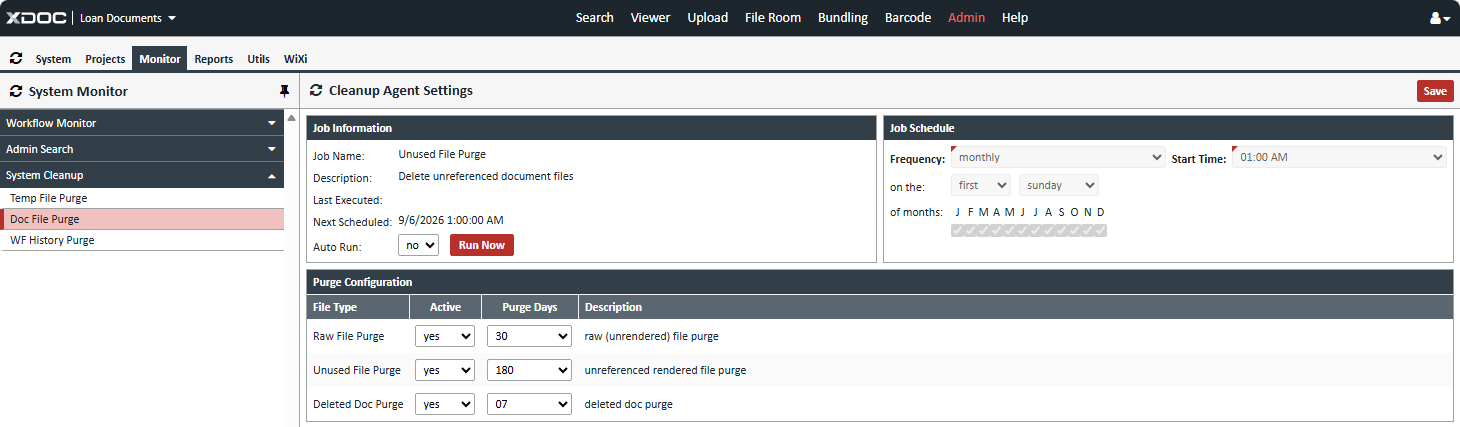
Removes document files that are no longer referenced by XDOC records, helping recover storage space while maintaining database integrity.
Job Information
- Description: Deletes unreferenced document files from the file system.
- Supports both scheduled execution and manual execution through the Run Now option.
- Displays Last Executed Date and Next Scheduled Date.
Task Configuration
- Raw File Purge: Deletes unrendered documents that are no longer being used.
- Unused File Purge: Deletes document files that are no longer associated with any document record.
- Deleted Document Purge: Deletes files associated with documents that have been removed and exceeded the configured retention period.
3. Workflow History Purge
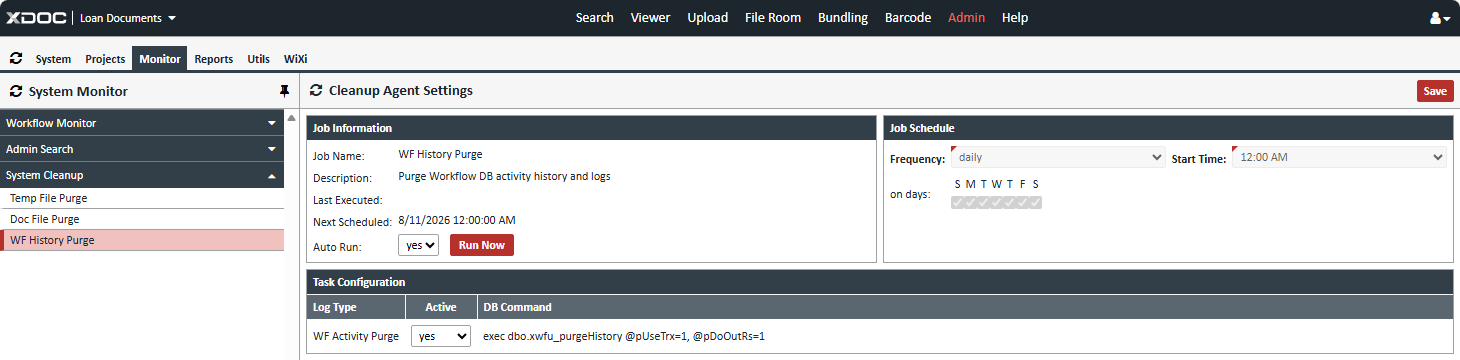
Removes historical workflow processing data and system logs from the database to improve performance and reduce database growth.
Job Information
- Description: Purges workflow history records, activity logs, and related audit data.
- Supports both scheduled execution and manual execution.
- Displays Last Executed Date and Next Scheduled Date.
Task Configuration
- Workflow History Purge: Deletes workflow execution history based on configured retention settings.
- Workflow Log Purge: Removes workflow-related log entries that are no longer needed for operational or auditing purposes.
Benefits of System Cleanup
Regular use of the System Cleanup feature helps:
- Reduce server storage consumption
- Improve system and database performance
- Eliminate obsolete files and records
- Manage long-term retention of workflow history and logs
- Maintain a healthier XDOC environment through automated cleanup scheduling